
Before You Buy a New Computer, Ask These 5 Questions First

Over the last few weeks, I’ve been talking about Windows 10 reaching end of support, and what to do if your PC can’t run Windows 11. A lot of people are now seriously thinking about getting a new computer, which is a perfectly sensible move.
But before you spend a single dollar, I want to make sure you get the right one.
I’ve helped hundreds of people in Canberra with their computers over the years, and one of the most common things I hear is buyer’s regret. Someone walks into a shop, gets talked into something by a salesperson who’s more interested in their commission than the right fit, and ends up with a computer that’s too complicated, too underpowered, or just wrong for how they actually use it.
These five questions fix that. They take about five minutes to think through, and they could save you hundreds of dollars and a lot of frustration.
Question 1: What Will I Actually Use It For?
This is the most important question, and it’s the one most people skip.
Be honest about what you do on a computer day to day. Emails, Facebook, online banking, and the odd video call? Then you don’t need a powerhouse machine, and you shouldn’t pay for one. Editing videos, running accounting software, or working with big photo libraries? That’s a different story, and it’s worth spending a bit more.
A good rule of thumb: write down the five things you do most often on your computer, and buy for those, not for what a salesperson says you “might” want one day.
Question 2: Laptop, Desktop, or All-in-One?
Each one suits a different kind of person:
- Laptop: Great if you like to move around, work from the couch, or take it with you. The trade-off is a smaller screen and keyboard unless you plug in extras.
- Desktop: Usually the best value for money, with a bigger screen, a comfortable keyboard, and easier repairs and upgrades down the track. It lives in one spot, though.
- All-in-One: The screen and computer are built into one neat unit, so there’s less clutter and fewer cables. The downside is that they’re harder to upgrade or repair later.
If it’s going to sit on the same desk every day, a desktop or All-in-One often makes more sense than people expect.
Question 3: What Specs Actually Matter?
This is where shop displays get confusing, with a wall of numbers and jargon. For everyday use, only a few things really matter:
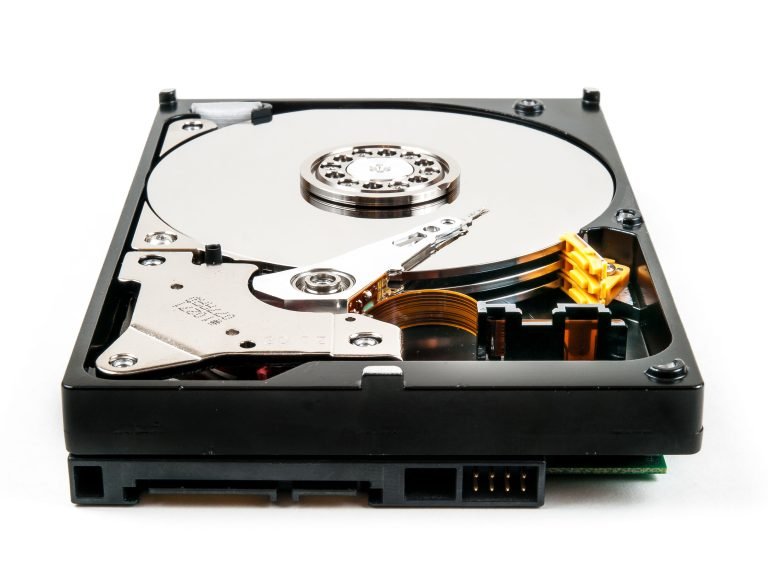
- Storage type: Look for an SSD (solid state drive) rather than an old-style spinning hard drive. It’s the single biggest factor in how fast a computer feels, and it’s the same kind of upgrade I often fit to older machines to bring them back to life.
- Memory (RAM): For everyday use, aim for at least 8GB, and 16GB gives you more breathing room as the years go by.
- Windows 11 ready: Make sure it comes with Windows 11, so you’re not facing this same problem again in a couple of years.
Anything beyond that is usually only worth paying for if your answer to Question 1 called for it.
Question 4: Where Should I Buy It?
Where you buy matters more than most people think. Big retail stores often have the widest range and good sales, but the staff may not know much about each model, and you’re sometimes steered towards what’s on promotion rather than what suits you. Online can be cheaper, but it’s harder to get hands-on advice if something isn’t right. A local specialist usually costs a little more, but you get genuine advice and someone who knows your situation.
Whichever way you go, it’s worth knowing your rights. In Australia, you have consumer guarantees that apply on top of any manufacturer’s warranty, so if something’s faulty, you shouldn’t be left out of pocket.
Question 5: What Support Will I Get After I Buy?
This one is the question almost nobody asks, and it’s often the one that matters most.
Think about what happens after you carry the box home. Who sets it up and transfers your files across? Who do you call when something doesn’t work, or when you can’t remember how to do something? If the answer is “a call centre on the other side of the world” or “nobody,” that’s worth knowing before you buy, not after.
Still not sure?
That’s exactly what Craig the Computer Geek is here for. If a call felt off, give Craig a ring and describe what happened. He’ll help figure it out — no judgement, and no charge just for asking. For more on protecting against scams, check Craig’s guide on how to spot a scam email too.
Got a call that made you suspicious? Send Craig the details — it helps warn others in Canberra too.
Your business has enough things to worry about. Your IT shouldn’t be one of them.
Craig can help you understand what you’re working with, what needs attention, and what can wait.
Give Craig the Computer Geek a call 📞, or send a Message on Facebook
0411 147 909 | Monday–Friday | 9:00 am–5:30 pm
Craig the Computer Geek — helping small businesses across Canberra and Queanbeyan since 2012.
Have a question? Get in touch or share this article with another small-business owner who might find it useful.